Web Development
Website Redesign Checklist for Kerala Businesses: What to Review Before Rebuilding
A practical website-redesign checklist for Kerala businesses covering goals, content, mobile usability, enquiries, accessibility, SEO migration and post-launch verification.
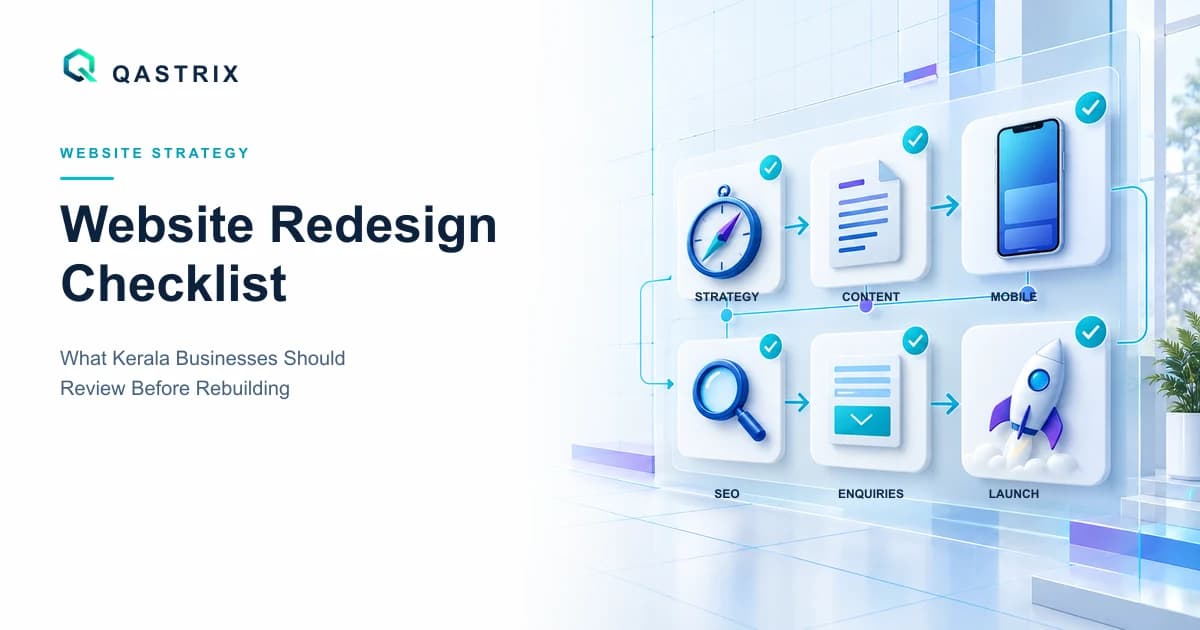
A website redesign should improve more than colours, typography and visual style.
For an established Kerala business, the current website may already contain search visibility, customer entry points, frequently visited service pages, backlinks, analytics history and working enquiry journeys. Replacing it without auditing those assets can create new problems while solving only the visible ones.
A responsible redesign begins by identifying what is working, what is failing and what business outcome the new website must improve.
Quick answer: when should a business redesign its website?
A redesign may be justified when the current website:
- No longer represents the business accurately
- Is difficult to use on mobile devices
- Does not explain services clearly
- Generates traffic but few relevant enquiries
- Loads slowly or behaves unreliably
- Is difficult for the team to update
- Uses outdated or unsupported technology
- Has inconsistent branding or navigation
- Cannot support required integrations or new services
- Contains accessibility, security or maintenance problems
Age alone is not a sufficient reason. A five-year-old website that remains clear, secure, measurable and easy to maintain may need focused improvements rather than a complete rebuild.
Start with the business objective
Before discussing design references, define what must become better after the redesign.
Possible objectives include:
- Increase qualified enquiries
- Explain services more clearly
- Improve mobile usability
- Support new locations or service areas
- Simplify content publishing
- Improve search visibility
- Introduce online booking or payments
- Integrate with CRM or operational systems
- Reduce maintenance difficulty
- Strengthen accessibility and performance
- Prepare for future customer features
Select one primary objective and a small number of supporting outcomes.
"Make the website modern" is too subjective to measure. "Increase completed enquiries from priority service pages" provides a clearer direction.
1. Record the current baseline
A business should not replace its website without recording its existing performance.
Before development begins, capture:
- Organic search clicks and impressions
- Important ranking queries
- Most visited landing pages
- Contact-page visits
- Form starts and successful submissions
- Telephone, email and WhatsApp clicks
- Referral and social traffic
- Device breakdown
- Page-loading evidence
- Existing indexed URLs
- Valuable external links
- Current conversion journeys
If analytics or conversion tracking is incomplete, improving measurement should become part of the redesign scope.
The baseline allows the business to compare the new website with actual previous behaviour instead of judging it only by appearance.
2. Audit every existing URL
Create a complete inventory of the current website.
Record each URL with its:
- Page title
- Purpose
- Search traffic
- Backlinks where available
- Primary topic
- Current status
- Replacement URL
- Redirect requirement
- Decision to retain, combine, improve or remove
Pages should not disappear simply because they are absent from the new navigation.
When URLs change, each valuable old address should redirect permanently to its closest relevant replacement. Redirecting every removed page to the homepage creates a poor customer experience and weakens the relationship between the old and new content.
Google recommends preparing a URL mapping, testing the new website and monitoring both old and new URLs during a site move. Review the official Google Search Central migration guidance.
3. Review the website's message clarity
A redesign cannot compensate for unclear content.
A new visitor should quickly understand:
- What the business offers
- Who the service is intended for
- Which locations it serves
- What makes the approach relevant
- What the visitor should do next
Review the homepage and every priority service page separately.
Remove vague headlines that could describe any business. Replace unsupported claims with specific explanations of the service, process, responsibilities and customer journey.
The first section does not need to explain everything. It should give the right visitor enough clarity to continue.
4. Evaluate the service-page structure
A business with several important services should not force every visitor through one general page.
A useful service page can explain:
- The customer problem
- Who the service suits
- What is included
- How the process works
- Important decisions or requirements
- Related capabilities
- Frequently asked questions
- The appropriate next action
For businesses serving Kochi and wider Kerala markets, location references should be accurate and useful. Repeating city names unnaturally does not make a page more valuable.
Only create separate location pages when the business genuinely serves that market and can provide distinct, useful information for customers there.
5. Inspect the mobile customer journey
The mobile review should cover more than whether the layout fits the screen.
Test whether visitors can:
- Understand the primary service quickly
- Open and close the navigation easily
- Read content without zooming
- Tap buttons without accidental selections
- Use phone and WhatsApp links
- Complete forms comfortably
- Understand validation errors
- View important tables or comparisons
- Return to the previous step without losing information
Review the website on actual phones where possible, not only through a resized desktop browser.
Pay particular attention to sticky buttons, cookie banners, chat tools and pop-ups. These can occupy excessive space or cover important actions on smaller screens.
6. Test the enquiry journey
Every redesign should identify how customer interest becomes a measurable action.
Map the full journey:
- Visitor enters through a search result, referral or social post.
- Visitor reads a service or educational page.
- Visitor selects a contact action.
- Visitor starts a form, call, email or WhatsApp conversation.
- The action completes successfully.
- The business receives enough information to respond.
- Analytics records the outcome accurately.
Test both successful and unsuccessful scenarios.
Confirm what happens when:
- Required information is missing
- An email address is invalid
- The network request fails
- The submission succeeds
- The visitor taps the button twice
- The business notification cannot be delivered
A confirmation message should clearly explain what happened and what the customer can expect next.
7. Audit genuine trust signals
A redesign often introduces counters, client-logo sections, testimonials and case studies. These elements should be added only when they can be verified and published with permission.
Review:
- Client names and logos
- Project screenshots
- Testimonials
- Ratings
- Years-in-business statements
- Project and customer counts
- Awards and certifications
- Team biographies
- Office and workspace photographs
- Performance or revenue claims
Remove anything that is illustrative, inconsistent or unsupported.
When public case-study evidence is limited, explain the delivery process honestly, publish service demonstrations or invite prospects to request relevant approved project context.
Credibility depends more on accuracy than visual volume.
8. Review accessibility before visual approval
Accessibility should be included during design and development rather than postponed until launch.
Review:
- Heading hierarchy
- Text and background contrast
- Keyboard navigation
- Visible focus indicators
- Form labels
- Error identification
- Alternative text
- Link descriptions
- Button names
- Motion and animation
- Touch-target size
- Zoom and text resizing
- Video captions where applicable
W3C explains that accessible web content should be perceivable, operable, understandable and robust. Read its introduction to web accessibility and WCAG overview.
Automated testing can identify some issues, but it does not replace keyboard, screen-reader and human usability checks.
9. Establish a performance baseline
Do not promise that a redesign will automatically make the website faster.
Measure representative pages before and after the change:
- Homepage
- Priority service page
- Blog article
- Contact page
- Image-heavy page
- Any page using dashboards, forms or third-party tools
Review:
- Largest Contentful Paint
- Interaction to Next Paint
- Cumulative Layout Shift
- Server response
- Image weight
- JavaScript execution
- Font loading
- Third-party scripts
- Failed or repeated requests
Preserve the measurements and testing conditions. A single favourable test is not enough to declare a permanent improvement.
For Qastrix's detailed workflow, read the website speed optimisation guide for Kerala businesses.
10. Decide whether to retain or replace the technology
A redesign does not always require a new platform.
Retaining the current system may be practical when:
- It remains supported and secure
- The team can maintain it
- Required features can be added responsibly
- Content editing works well
- Performance problems are fixable
- The architecture supports expected growth
Replacement may be justified when:
- The technology is unsupported
- Changes repeatedly break other features
- Plugin or dependency complexity is unmanageable
- Required integrations do not fit the architecture
- The editing experience prevents regular updates
- Security and maintenance cannot be handled confidently
- The future product requires a different foundation
Platform decisions should follow the requirements. Read Custom Website vs WordPress for a broader comparison.
11. Clarify ownership and access
Before approving the redesign, establish who owns and controls:
- Domain
- DNS
- Hosting or cloud account
- Source-code repository
- Content-management account
- Analytics
- Search Console
- Tag-management account
- Business email
- Forms and submission data
- Image and font licences
- Third-party integrations
- Backup systems
The business should receive appropriate administrative access, documentation and recovery information.
Avoid making one developer's personal account the only owner of a critical business asset.
12. Protect SEO during the redesign
The redesign checklist should include:
- Retain valuable content
- Preserve established URLs where practical
- Prepare one-to-one redirect mappings
- Keep self-referencing canonicals
- Update internal links
- Generate an accurate sitemap
- Review robots directives
- Preserve structured data where valid
- Confirm metadata
- Test missing pages
- Remove staging-site restrictions before launch
- Prevent staging environments from becoming indexed
- Monitor Search Console after deployment
If a page is consolidated, redirect it to the most relevant replacement, not automatically to the homepage.
Temporary ranking fluctuations can happen during meaningful site changes. Careful preparation and monitoring reduce avoidable risks.
13. Plan content migration carefully
Content migration is not a copy-and-paste task.
For every retained page:
- Correct inaccurate information
- Remove unsupported claims
- Improve headings
- Update contact information
- Review service descriptions
- Retain valuable internal links
- Replace missing or poor images
- Add meaningful alternative text
- Check formatting
- Confirm calls to action
- Assign a content owner and approval status
Do not publish placeholder testimonials, invented company profiles or generic case studies simply to fill a new layout.
A smaller website containing accurate, helpful material is stronger than a larger website containing weak or unverified content.
14. Define the launch verification plan
Before directing public traffic to the redesigned website, verify:
- HTTPS works correctly
- Preferred hostname redirects properly
- Important old URLs redirect correctly
- Canonicals use the live domain
- Robots directives permit intended indexing
- Sitemap contains only correct public URLs
- Forms deliver successfully
- Analytics records genuine actions
- Telephone, email and WhatsApp links work
- Mobile navigation works
- Page titles and descriptions are present
- Structured data reflects visible content
- Error pages work correctly
- Backups and rollback arrangements exist
- Accessibility and performance checks are recorded
Assign responsibility for every verification item. "The team will check it" is not sufficiently specific.
15. Monitor after launch
A redesign is not complete when the homepage becomes public.
Monitor the first days and weeks for:
- Crawl errors
- Redirect failures
- Missing pages
- Form-delivery problems
- Analytics gaps
- Search visibility changes
- Broken internal links
- Unexpected device issues
- Performance regressions
- Customer questions
- Qualified enquiries
Compare results against the original baseline over a reasonable period.
Do not declare the redesign successful based only on positive internal feedback or a temporary traffic change.
Should you redesign or improve the existing website?
Choose a focused improvement programme when the website has a sound foundation but needs changes such as:
- Clearer homepage messaging
- Better service pages
- Improved enquiry tracking
- Faster images
- Stronger calls to action
- Updated content
- Accessibility corrections
Consider a broader redesign when structure, technology, content, usability and business requirements have changed together.
The decision should follow evidence, not design fatigue.
Planning a website redesign in Kerala?
Qastrix helps businesses assess their existing website, clarify redesign priorities and plan the transition around customer journeys, technical SEO, accessibility, performance and maintainable development.
Explore Qastrix Website Development, review the checklist for choosing a web development company in Kochi or discuss your website.
Frequently asked questions
How do I know whether my business website needs a redesign?
Consider a redesign when the website no longer represents the business, performs poorly on mobile, creates enquiry friction, is difficult to maintain or cannot support required services and integrations. Age alone is not a sufficient reason.
Will redesigning my website affect Google rankings?
A redesign can affect search visibility when content, URLs, internal links, metadata or technical configuration change. Preserve valuable content, map old URLs to relevant replacements and monitor Search Console after launch.
Should every old URL redirect to the homepage?
No. Each valuable old URL should redirect to its closest relevant replacement. Redirecting unrelated pages to the homepage creates a weak experience and may not preserve the old page's relevance.
Should I redesign the whole website or improve it gradually?
Use gradual improvements when the current structure and technology remain sound. A complete redesign is more appropriate when multiple foundational areas - structure, technology, content and customer journeys - need coordinated change.
What should be measured after a website redesign?
Measure search visibility, important landing pages, enquiry actions, successful form submissions, mobile behaviour, performance, crawl errors and qualified leads against the recorded pre-redesign baseline.
Related services